

ThermoFlow
Steam cycles: build the diagram by dragging components and obtain the water states from IAPWS-IF97, the work, heat and efficiency with energy balance and consistency warnings.
Version 1 · updated on Oct 10, 2026
Overview
ThermoFlow solves steam cycles built as a block diagram. Each line between components is a thermodynamic point; each component applies its balance equation.
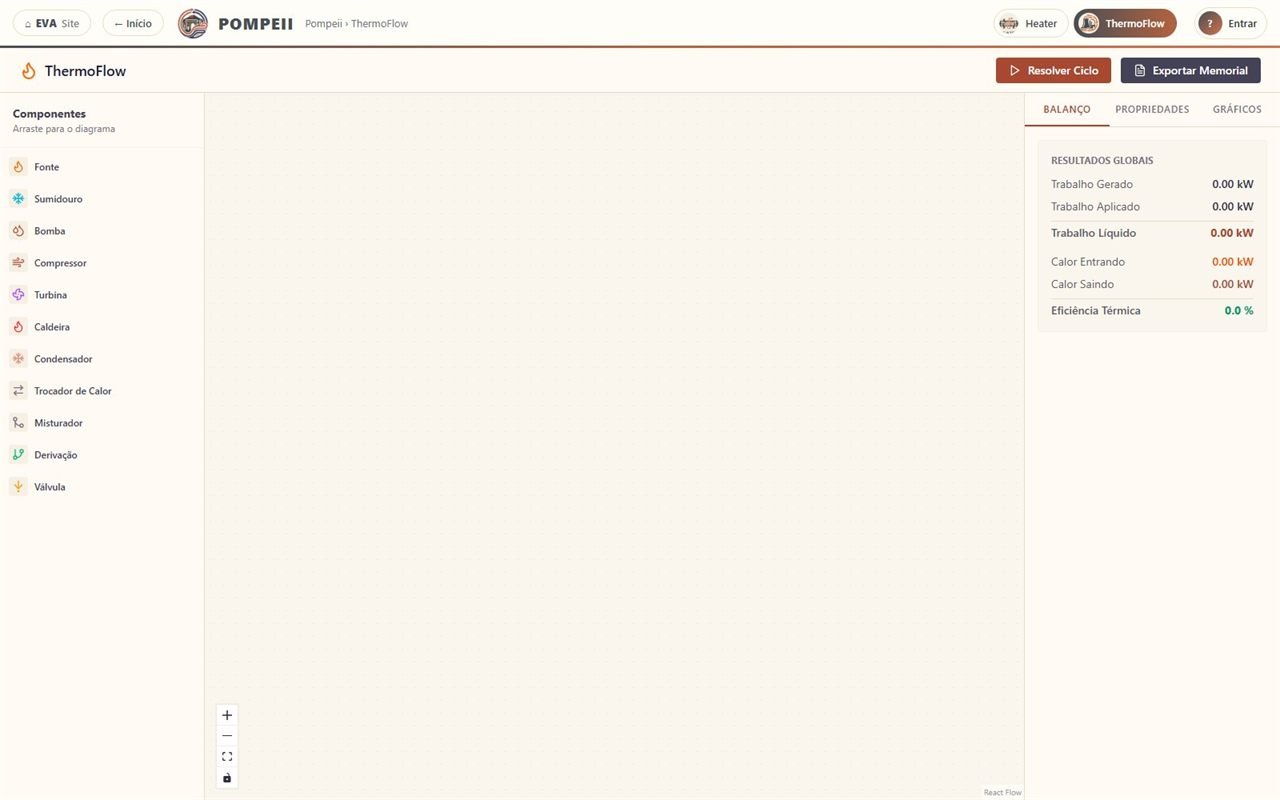
First steps
- Open Programs › Pompeii › ThermoFlow.
- Drag the components onto the workspace and connect the outputs to the inputs.
- Click a line and enter the starting state (for example, pressure and quality 0 at the condenser outlet) and the flow rate.
- Click a component and enter its parameters (outlet pressure, efficiency, heat).
- Click Solve cycle and read the results and warnings in the Balance tab.
Calculation methods
Turbine: h2 = h1 − ηs·(h1 − h2s) Pump: h2 = h1 + (h2s − h1)/ηs
ηt = (Wturb − Wpump) / Qin check: Qin − Qout − Wnet ≈ 0
The states are solved by IAPWS-IF97. The solver propagates flow rates and states through the components until there is no change and warns when a point cannot be determined or when the balance does not close.
Limitations
- Single fluid (water/steam); no T-s charts in this version.
- This is the only Pompeii module still at version 1.
Technical responsibility
The programs support the design but do not replace the analysis of a licensed professional. Check the input data and results, and use the report as a review document.
References
- Wagner, W. et al. The IAPWS Industrial Formulation 1997 for the Thermodynamic Properties of Water and Steam.
- Çengel, Y. A.; Boles, M. A. Thermodynamics: An Engineering Approach. McGraw-Hill.