

 KatrinaVersion 2Updated on Oct 21, 2026
Design the wing, generate the CAD and take it to Fluent.
Wings and lifting surfaces: NACA or imported airfoils, parametric CAD with 3D viewer and STEP/STL export, aerodynamics by VLM, CFD domain as a single solid, Named Selections, mesh and Fluent journal with validation.
The problems WinGGen solves
Model the wing in CAD
Sections, loft, dihedral and twist take hours — and any change starts the work over.
Domain and names
Subtracting the wing from the domain and naming each face before meshing is repetitive and error-prone.
No reference
Without a quick estimate, it is hard to know whether the CFD result makes sense.
What WinGGen offers
Airfoils
NACA 4- and 5-digit airfoils, import of .dat coordinates (Selig and Lednicer) and XFOIL polars.
Parametric CAD
Wing, tail surfaces, canard and winglets by panels (chord, sweep, dihedral, twist), 3D viewer and STEP, STL and curve export for SolidWorks.
Aerodynamics by VLM
Vortex lattice method with induced drag in the Trefftz plane and profile drag: CL, CD, Cm, neutral point, spanwise loading and stall onset.
Domain as a single solid
Box with the wing as a cavity (full model) or with the root on the symmetry plane (half model), written face by face as valid STEP.
Mesh and Fluent
Named Selections in SpaceClaim, Fluent Meshing with prism layers from y+ and solver journal with CL, CD and Cm reports.
Validation with GCI
Compare CFD with VLM and check mesh independence with the grid convergence index.
From input data to result
- Choose the airfoilsNACA or imported, with the polar if you have it.
- Build the wingPanels and surfaces, checked in the 3D viewer; export the CAD.
- Evaluate the aerodynamicsCurves, polar, stability and stall by VLM.
- Generate domain, mesh and setupSpaceClaim, Fluent Meshing and Fluent scripts; compare the CFD in Validation.
WinGGen screens
Click to enlarge. Use the keyboard arrows to navigate.
Methods, standards and formats
What is implemented in WinGGen. The details of each method are in the manual.
See the methods in the manual →- Geometry
- Surfaces by panels: chord, sweep, dihedral and twist per station
- Wing, horizontal and vertical tail, canard and winglets
- Axes: x downstream, y spanwise, z up
- Methods
- VLM with the normal computed from the local camber slope at 3/4 chord
- Induced drag in the Trefftz plane; profile drag from the polar
- Stall onset estimate from the maximum local cl
- CFD
- STEP domain with cavities (BREP_WITH_VOIDS) or holes on the symmetry plane
- First layer from y+ and number of layers for the boundary-layer thickness
- Grid convergence index (GCI) with three meshes
- Outputs
- STEP, STL and curves for SolidWorks
- SpaceClaim (.py), Fluent Meshing and Fluent (.jou) scripts
- CL × α, polar and loading charts
- Integration
- ANSYS SpaceClaim, Fluent Meshing and Fluent (2026 R1)
- CAD import (STEP/STL) to use WinGGen only for simulation setup
- CAD, mesh and simulation automation through the local Ansys connector, in the 3D domains generated by the program
Learn to use WinGGen
Can I import my own geometry?
Yes. The Domain and mesh tab accepts STEP or STL and generates the mesh and solver scripts for it.
Does VLM replace CFD?
No. VLM is potential and linear: it is great for preliminary design, stability and order-of-magnitude checks, but it does not predict stall or viscous effects accurately.
Half model or full model?
For symmetric flow (no sideslip), the half model with a symmetry plane halves the mesh.
Also in Katrina
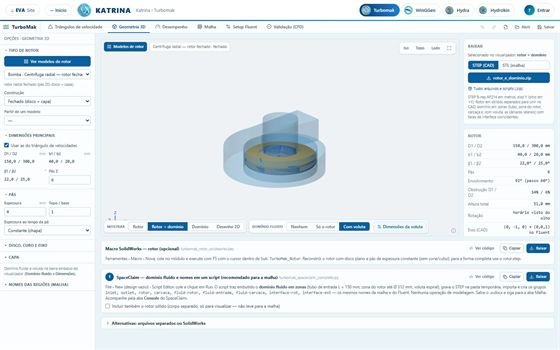
TurboMak
Pumps and hydraulic turbines: velocity triangles, 3D impeller in STEP, volute, performance curves, mesh and Fluent setup.
Explore TurboMak →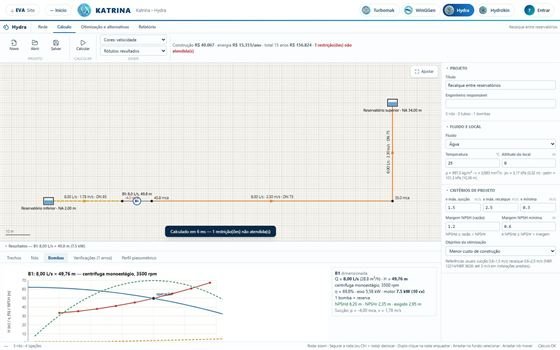
Hydra
Hydraulic lines: plan-view network, Gradient Method, cavitation-free pump, economic diameter and report.
Explore Hydra →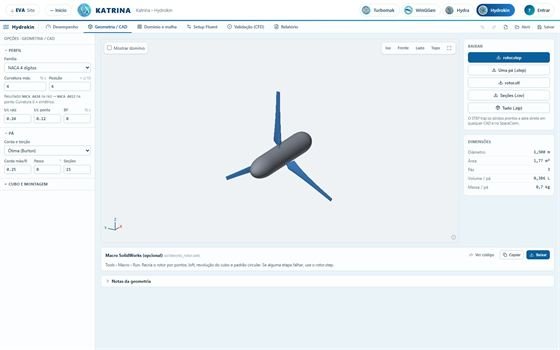
Hydrokin
Axial, H-Darrieus, Savonius and radial hydrokinetic turbines: BEMT/DMST, annual energy, STEP, mesh and Fluent.
Explore Hydrokin →WinGGen is part of Katrina
Open the main program and choose the module inside it. Nothing needs to be installed.